Owe Balance Report
The Owe Balance report lists prescriptions by medication that have outstanding owe balances. This list should be kept short, and should contain prescriptions from the current day and possibly prescriptions for medications on backorder.
To print the Owe Balance report:
- Select More > Reports.
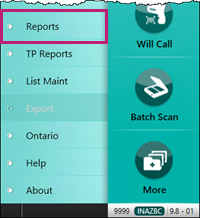
The Nexxsys Reports window appears. - Select Owe Balance from the reports list.
- Select Next.
- Select Print.